University of Southern California SearchHome
Student Financial Services
Division of Financial and Business Services

About USC's Online Payment Plans...


Beginning Fall 2009, USC began offering Dental students a TRIMESTER payment plan
with 4 monthly payments during Fall, Spring and Summer trimesters!

Fall 2009 PP sign-up dates: 07/20/2009 - 08/21/2009 (before 5pm PST)
LATE signups: after 5pm on 08/21/2009 - 09/11/2009 (late fees apply)

Access to the Payment Plan system is available from OASIS, and offers:

  • Online PP application for registered students*
    • please allow 48 hours after registering before signup
    • late fees apply for signups after 5pm on 08/21/2009
  • Payment Plan payment entry
  • Payment Plan profile maintenance
  • Payment Plan account status

Payment Plan signups (via OASIS) are also available from myUSC...

Enrollments prior to a term's settlement deadline will not be assessed late fees or penalties.
The first installment (one of five) and $40 enrollment fee are due at the time of enrollment.
Enrollment will not be complete until both the enrollment fee and the first installment have been paid online.


The USC Payment Plan allows settlement of a student account (one term at a time), through a line of credit established with the USC Student Financial Services Office. You may use your interest-free USC Payment Plan account to pay for tuition, fees, university housing, meal plans, and other miscellaneous university charges in 5 monthly installments for Fall (Aug-Dec) and/or Spring (Jan-May) terms only (Payment Plan is not offered for Summer term).  The Dental Student / Trimester plan has 4 monthly installments for Fall (Aug-Nov), Spring (Dec-Mar), and Summer (Apr-Jul).  Monthly installment amounts are due (will be charged) the first of each month, ie: for FALL term: the first payment (for August) is made at the time of enrollment with subsequent payments due: September 1st, October 1st, etc...

The USC Payment Plan application and processing are completely online. This means that when you submit your online application for a term, you will be required to submit payment online for the application fee ($40), as well as the 1st monthly payment.  If you are applying late, student account late fees and any additional monthly payment plan payments would also be required.  USC Representatives can answer any question you may have at 213-740-4077.

All enrolled students who have no past due amounts in their student accounts, who have not had previous plans cancelled for non-payment, whose student account from the prior term was paid in full, and who have not previously been assigned to an outside collection agency, are eligible to participate in the payment plan.
If your account is not current, please contact the University Collections Office.

See also:

Advantages of our online USC Payment Plan:

  1. Improved Security:
    Our new USC Payment Plan will be hosted by CashNet, and offers full PCI compliant security. CashNet has been a service provider to universities for over 20 years.
  2. Single Sign-on:
    • Students will access the Payment Plan by clicking on 'USC Payment Plan' from either:
    • Guests (with OASIS guest access) access the Payment Plan from:
      • 'OASIS for Guests' at http://www.usc.edu/oasisguest .
        Please note that only students have the ability to establish OASIS guest access, and notify guests of their login ID and password
  3. Self service:
    Our online Payment Plan system will allow payment plan account review, will accept online applications, manual online payments, and changes to stored profiles by students and their authorized OASIS guests.
  4. Online payments:
    Payment plan account monthly payments may be made either manually or automatically. If you select the manual payment method, you would login each month and make monthly payments from 1 or more bank / credit card accounts.
  5. Optional Stored Profiles:
    The Payment Plan offers users the ability to store banking and/or credit card information for online payment plan payments, with the ability to update or change them as needed. The storage of payment profile information is done with full PCI compliant security.
  6. More Accurate Budgets:
    Fewer changes to payment plan term budgets will occur because more accurate budgets will be available at the time of Payment Plan enrollment, due to the new requirement that students be registered before they can apply, and to faster posting of housing charges and other fees to the student account.

Changes for those who have used Payment Plan previously:

  1. All registration and administration is done online.
  2. The enrollment fee to register for a Payment Plan is $40. There is one Payment Plan for each semester / term. If you sign up for a Fall Payment Plan and then a Spring Payment Plan, the total cost will be $80. The cost for dental students applying for 3 terms in a year would be $120.
  3. We no longer will offer a Payment Plan that will cover the entire year. Each Payment Plan will be done one term at a time.
  4. University Enrollment (class registration) is required before the online Payment Plan setup is done. This will help provide a more accurate budget at the time of setup.
  5. Housing and other expenses are loaded earlier on the student account in order to provide a more accurate budget.
  6. An online Budget Calculator will help in determining the Payment Plan budget for each semester.
Security:

PCI Compliance is now required by all credit card companies and audited on a regular basis. Cashnet offers full PCI Compliance for their online applications. In addition, the online website uses SSL for all transactions. The SSL certificate is through the parent company, Informed Decisions Corp.

Online Access to Payment Plan / How to login

For Students:

You can use the USC Payment Plan with single sign on through the OASIS system.

  1. First, log into the OASIS system by going directly to OASIS at www.usc.edu/oasis or by logging into MyUSC at my.usc.edu and then going to OASIS.
  2. Once you log in and you are at the OASIS Services menu, look in the upper-right portion of the services section, under “Financial Services" for “USC Payment Plan”.
  3. Select this link (click on it), and you will be passed through with encrypted information to CashNet where the USC Payment Plan is hosted.

For Parents / Guests:

In most cases you will want to establish guest access for a parent/guest on OASIS (www.usc.edu/oasis).  If you do not want to set up a guest in OASIS, you can create a direct guest login to CashNet. This will require them to go to the CashNet website directly (https://commerce.cashnet.com/USCPAY).

For guests who are setup in OASIS, the login ID is transferred to CashNet on a nightly basis. They will be able to access CashNet from 'OASIS for Guests' the day after they have been set up. You will be able to see your guest IDs in CashNet when their access to CashNet has been enabled. You will notice that the guest ID on CashNet is a combination of your USCID and the 8 character OASIS guest ID.

If you choose to set up a guest in CashNet directly, the guest ID can be any combination of 6 or more letters and/or numbers (the guest ID does not need to be in the same format as the one you see for guest IDs transferred from OASIS).  Your guest will be sent an email with their guest ID, a temporary password, and a link to USC's CashNet website.

Click here to review our online Payment Plan Tutorial .

Enrolling in USC Payment Plan:

* Please note that students who have just registered / become eligible for Payment Plan
will not receive Payment Plan system access until the following business day.

Requirements:

Eligibility for the USC Payment Plan is based on the following requirements:

  • You have completed registration for the upcoming term for which you wish to use the USC Payment Plan.
  • You have no holds on your student account created by past collection actions.
  • If you have used the USC Payment Plan in the past, you have maintained a good record of on-time payments.

Selecting a plan:

You may enroll in a USC Payment Plan by selecting the link in the upper right hand corner of your USC Payment Plan account. There will be only one choice per semester. Once enrolled this link will allow you to view your payment plan history and future charges. Upon enrollment you will be required to pay a $40 enrollment fee for each USC Payment Plan. In other words, if you establish a plan for the Fall term you will pay $40 and then if you establish a plan for the Spring term you will pay $40. You will be asked to agree to the terms and conditions as stated on this website ( Go to: Payment Plan: Terms & Conditions ). USC Representatives can answer any question you may have at 213-740-4077.

You may enter a budget amount or use the online payment calculator to establish the budget. The payment calculator will include the following for charges:

  • Tuition
  • Mandatory Fees
  • Housing
  • Meal Plans
  • Laboratory Fees
  • USCard Plans
  • Parking Permits
  • Tuition Refund Insurance
  • Other

And will include the following for credits:

  • Scholarships
  • Grants
  • Student Loans
  • Other

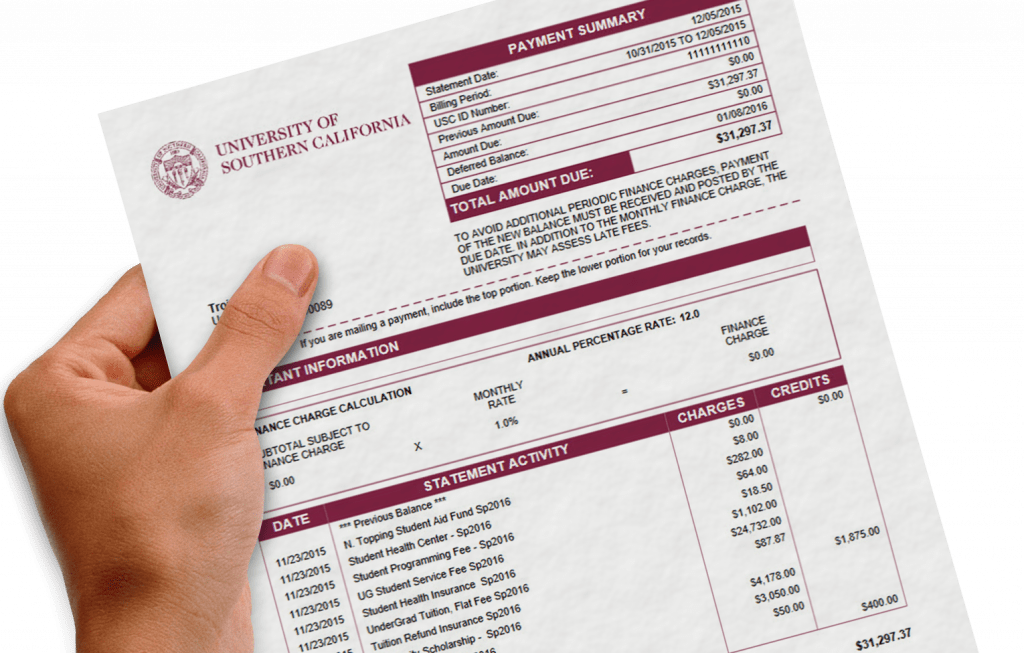
Please refer to your USC Billing Statement for accurate budget calculations. Please do not include future work study (CWSP) earnings in your calculations. If an accurate budget is completed then you should not see large charges appearing on your USC Student Account. If there is a balance on your student account it is your responsibility to pay that balance when due using USCe.pay in order to avoid late fees.

If enrollment is completed  by 6:00 pm on normal business days, the Payment Plan budget amount will be posted to the student account that night, anything after that time will be posted at night on the following business day.

Changing a Plan:

Students and guests will not have the ability to use the online self service features of the USC Payment Plan for increasing or decreasing the total amount once enrolled. It is very important to establish a good budget using the payment calculator online. It is also important to enroll in all of the classes you will need for the term in order to establish the correct tuition rate. In some unforeseen cases an increase or decrease to a USC Payment Plan may be accomplished by contacting the Student Financial Services office at 213-740-4077. Their office is located in Parking Structure B (PSB). You will need to provide a signed letter stating the amount of increase or decrease and will be required to sign a new terms and conditions for the increase or decrease. The monthly payments due will reflect the increase or decrease in the total payment plan.

About Payments

There are a number of ways to make payments using the new USC Payment Plan. All of these methods are online. Both students and associated guests will be able to make payments using the same methods. Stored credit card and banking information are associated with each login, students will not have access to guest stored information and guests will not have access to student stored information.

  • The first method for payment is using the Auto Payment feature. This can be setup when you first enroll in the USC Payment Plan and can be setup later. When you setup Auto Payment you will be storing the credit card or banking information you wish to use on a monthly basis. This information is stored and governed by PCI Compliance requirements. If you choose to setup Auto Payments later you select the “Pay your xxx installments automatically” link. If you setup Auto Payments you will receive notification in advance reminding you that a payment will be charged. It is your responsibility to keep the stored information current. If your Credit Card is about to expire you will receive a notification stating so and you should go into the USC Payment Plan and enter new card number information. If the information is not correct when the charge occurs you may be assessed a penalty.
  • Another method is to manually pay each month by entering credit card or banking information that is not stored. This should be done prior to the due date to avoid penalties.
  • Another method is to manually pay each month using stored credit card or banking information.

Students and guests (or multiple guests) may independently make payments for the same payment plan. You should not set up multiple Auto Payments by different users for the same plan. The Auto Payment is set to charge the entire installment for each plan. We recommend that if multiple users will be making payments on the same payment plan that this be done manually by users on a monthly basis prior to the due date.

Partial payments on the USC Payment Plan can be performed prior to the due date each month. Payment in full is due according to the schedule you received when signing up for the USC Payment Plan.

If you are set up for Auto Payments and you make a partial payment prior to the due date (the date the Auto Payment would normally be charged) the Auto Payment will only charge the remaining balance due for that payment.

Partial payments may be done from various sources, such as multiple credit cards and/or bank accounts.

If you plan on enrolling in future USC Payment Plans, the credit card and banking information is stored for the user profile and will be available for future plans.

If you enroll on or after the term's payment plan start date (August 1st for Fall, and January 1st for Spring, or for dental students: August 1st for Fall, December 1st for Spring, April 1st for Summer) and before the term's payment deadline, you will be asked to pay both the application fee and the first monthly payment.  After payment information has been entered and approved, you will receive two receipts for the two amounts.  Your bank statement will also show the two transactions as separate amounts.

Payment Methods*:

  • Credit Cards (VISA, MasterCard, Discover, American Express) issued by U.S. Banks
    (depending on the bank, some international credit cards may accept Payment Plan
    transactions. To find out, enter information for your credit card.)


    If you attempt to use a DEBIT card, it may be rejected because the monthly payment amount is over the 'daily limit' set by banks for debit card expenditures (usually $1,000 - $2,500 per day). Please check with your bank for more information.
  • Electronic Checks* (ACH) from checking or savings accounts drawn on U.S. financial institutions.

    Please note that most banks do not accept ACH transfer requests from other types of accounts such as: money market, mutual fund, line of credit and brokerage accounts.  If you try to use one of these types of accounts your payment will most likely be rejected, resulting in late fees and various penalties.

    Please do not enter 16-digit debit card numbers in the checking / savings account number as they will reject.

* NO paper checks will be accepted (either by mail or in person).

Payment Options:

  1. AUTOMATIC monthly payments using a stored payment profile from a credit card or bank account (see above).
  2. MANUAL entry of 1 or more monthly payments using 1 or more bank / credit card accounts (accounts may or may not be stored in a payment profile and may change from month to month, if desired).
Other Information:

Penalties:

Penalties will be charged to the student account and will not show on the USC Payment Plan. The following are a list of penalties that may be assessed:

  • $25 penalty for accounts that go unpaid more than 5 days after the due date.
  • $25 returned item fee for an ACH (electronic check) payment that is denied.
  • After 2 missed payments your payment plan will be withdrawn and full payment will be required on the student account. Future eligibility for the USC Payment Plan will be withheld.

Dates:

The USC Payment Plan allows for making 5 installments of tuition, housing, meal plans, and other fees per term during the Fall and Spring term of each year. Dental students will make 4 installments during the Fall, Spring and Summer terms of each year.  For non-dental students, we do not offer the USC Payment Plan during summer term at this time. Each term will need to have a separate enrollment prior to the beginning of the semester. Full payment for each semester must be paid on time prior to enrolling in the next USC Payment Plan. Enrollment for the Fall term will be done during the month of August and enrollment for the Spring term will be done starting in the middle of December.  Enrollment for the Dental Trimester payment plan will be during the month of August for Fall, during December for Spring, and during April for summer.

Payments for payment plan installments are due on the 1st of each month. When you enroll you will see a schedule of payments with the amount for each payment. If you enroll after the 1st payment is due you must pay the 1st installment along with the enrollment fee. If you enroll after the term's payment deadline your student account will be subject to late fees and penalties.

Emails / Notification:

You will receive emails from the USC Payment Plan for various reasons. If you have setup spam blockers in your email account please make sure to allow emails from uscsfs@usc.edu and any email address from the cashnet.com domain.

  • Upon enrollment you will receive an email verifying your enrollment in the USC Payment Plan.
  • When payments are made you will receive a receipt of the payment.
  • Prior to due dates you will receive a reminder that payments will be due soon.
  • If there are problems charging a payment you will receive an email stating this.
  • You will receive reminders to update credit cards that are stored and about to expire.

In January 2009, we released a TWITTER account for the USC Payment Plan.  If you are interested in receiving occasional 'tweets' (text messages to your cellphone) regarding:

  • USC Payment Plan sign-ups and deadlines
  • USCe.pay, tuition and fee assessments, bill due dates, and other messages about student accounts

Click here for more information about our Payment Plan "TWITTER" account...


See also:

Rev:  07/15/2009